Start a Volt
A Volt4 can be started using either the command-line interface (CLI) or the fusebox.
cli
Use the run cli command:
volt run --helpThe most simple way to start a Volt4 is using the id:
volt run did:volt:449a3385-f380-41f7-bd0a-e60caaa403cbIf the Volt4 has been given an alias you can use this instead of the GUID:
volt run @aliceIf the Volt4 is secure you will also need to specify the passphrase, using the -p switch:
volt run did:volt:449a3385-f380-41f7-bd0a-e60caaa403cb -p foobarTo avoid specifying the passphrase on the command line, you can force a prompt using -p .:
volt run did:volt:449a3385-f380-41f7-bd0a-e60caaa403cb -p .See the CLI section for more details about starting a Volt4.
fusebox
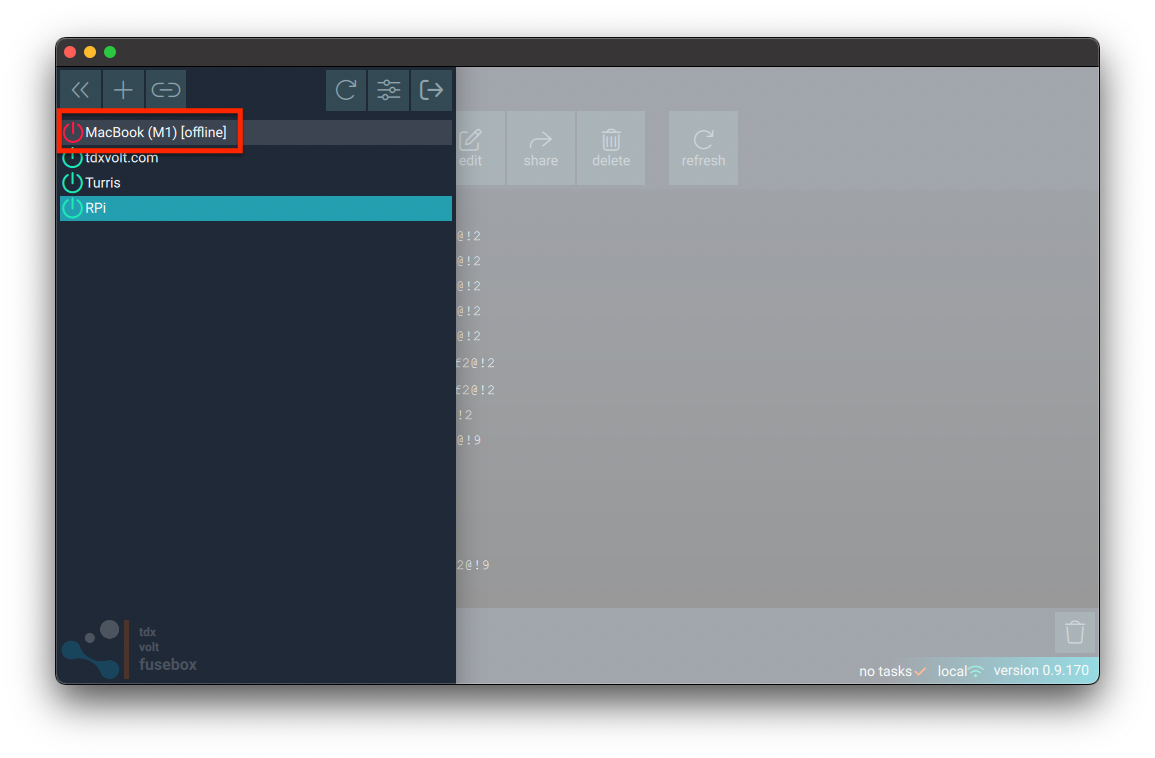
The fusebox can be used to run local Volt4s.
Simply click on the name of the Volt4 in the slide-out menu panel on the left-hand side: